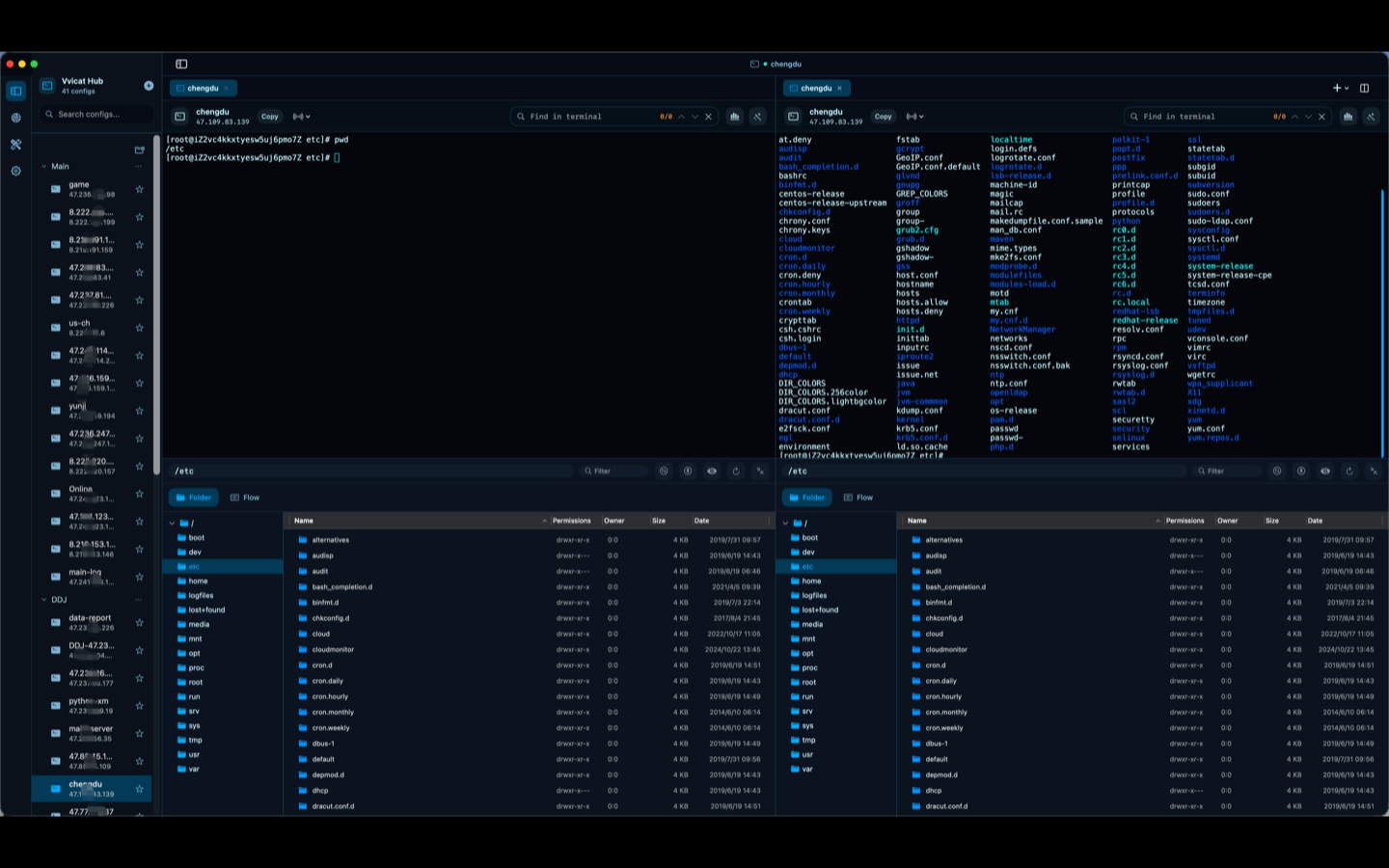
Save, group, search, and tab your connections. Recent history, folders, and multi-tab split views keep everything organized.
Native macOS workspace for technical operations
SSH, databases, files, APIs, AI & more — one desktop.
Vvicat Hub unifies remote connections, terminal sessions, SFTP transfers, database inspection, HTTP testing, developer utilities, AI assistance, clipboard management, and text editing into a single native macOS app.
7+
Connection types
11
Feature categories
100%
Native macOS
0
Browser dependencies
Terminals, file panels, database editors, HTTP clients, developer tools, AI chat, clipboard history, and a text editor — no app switching.
Flow automation, command history suggestions, saved upload tasks, environment variable groups, and theme customization.
Complete feature set
Eleven capability areas, one native workspace.
Connection Manager
Save connections, recent history, groups & folders, search, tabs, split views, import & export.
Remote Connections
SSH Terminal, SFTP, Redis, MySQL, ClickHouse, Windows RDP, Local Terminal.
Terminal Enhancements
Terminal search, system monitoring, AI diagnostics, command history, Flow automation.
File Transfer
SFTP browse, upload & download, transfer task center, saved upload tasks.
Database Tools
Redis key browser, MySQL SQL editor, ClickHouse queries, CSV import, table structure viewer.
HTTP Client
Request editor, header management, environment variable groups, history, response formatting.
Developer Toolbox
JSON format & diff, Base64, URL encode/decode, Hash, Unix timestamp, JWT parser.
Text Editor
Built-in code editor, recent files sidebar, folder sidebar, search, go-to-line.
AI Assistant
Gemini & OpenAI support, chat panel, command help, troubleshooting, request generation.
Clipboard
Quick Paste hotkey, clipboard history, favorites, filtering, menu bar resident.
Settings & More
Theme switching, terminal background images, local proxy, download directory, auth profiles.
Config Import/Export
Export your full workspace configuration and import it on another machine for instant setup.
Workflow model
Less tab hunting. More operational continuity.
Vvicat Hub is shaped for teams that move between servers, data stores, service endpoints, files, and quick utilities throughout the day. From SSH diagnosis to database inspection to API validation — all in one window.
ConnectOpen SSH, database, RDP, file, or HTTP targets from one organized inventory with groups, search, and tabs.
InspectMove between shell output, remote files, Redis keys, SQL tables, API responses, and developer utilities.
ResolveUse AI diagnostics, Flow automation, clipboard history, and the text editor to finish tasks faster.
macOS native app
Download the complete workspace.
Install Vvicat Hub on macOS 13+ and consolidate your remote operations into one powerful application.